
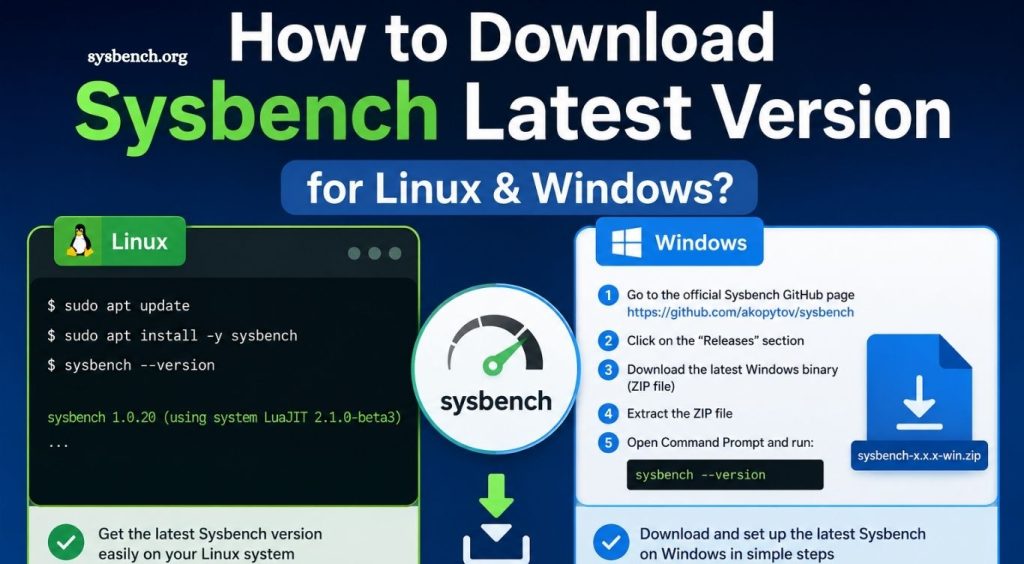
Reliable benchmarking plays a critical role in evaluating system performance. Developers, database administrators, DevOps engineers, and IT professionals rely on trusted benchmarking tools to measure CPU, memory, storage, and database efficiency. Sysbench stands out as one of the most popular open-source benchmarking utilities because it delivers fast, accurate, and consistent performance testing across multiple environments.
Whether you manage production servers, test new hardware, or optimize database workloads, downloading the latest version of Sysbench ensures access to recent improvements, bug fixes, and compatibility updates. This guide explains how to download Sysbench for Linux and Windows, install it correctly, verify the installation, and begin running performance benchmarks with confidence.
What Is Sysbench?
Sysbench is an open-source benchmarking and workload testing utility designed to evaluate system performance. It supports multiple benchmark types, allowing users to analyze hardware capabilities and identify performance bottlenecks.
Sysbench commonly measures:
- CPU performance
- Memory throughput
- Disk I/O performance
- File operations
- Database performance
- Thread scheduling efficiency
System administrators, cloud engineers, software developers, and database professionals frequently use Sysbench during server optimization, infrastructure testing, and performance comparisons.
Read More: What is Sysbench? Complete Beginner’s Guide (2026)
Why Download the Latest Version of Sysbench?
Using the latest release provides several important benefits:
- Improved benchmarking accuracy
- Better hardware compatibility
- Updated database testing modules
- Performance improvements
- Bug fixes
- Security enhancements
- Better support for modern Linux distributions
- Improved Windows compatibility
Regular updates also ensure compatibility with newer processors, storage technologies, and operating system releases.
Sysbench System Requirements
Before downloading Sysbench, verify that your system meets basic requirements.
Linux
- Ubuntu
- Debian
- CentOS
- Rocky Linux
- AlmaLinux
- Fedora
- Arch Linux
- OpenSUSE
Windows
- Windows 10
- Windows 11
- Windows Server editions
- Administrator privileges
- Command Prompt or PowerShell
How to Download the Latest Version of Sysbench for Linux
Most Linux distributions provide Sysbench through package repositories. Package managers simplify installation while handling dependencies automatically.
Ubuntu and Debian
- Update package lists:
- sudo apt update
- Install Sysbench:
- sudo apt install sysbench
- Verify installation:
- sysbench –version
CentOS, Rocky Linux, and AlmaLinux
Enable required repositories if necessary.
- Install Sysbench:
- sudo dnf install sysbench
- Older CentOS versions may use:
- sudo yum install sysbench
- Verify installation:
- sysbench –version
Fedora
- Install Sysbench using DNF:
- sudo dnf install sysbench
- Confirm installation:
- sysbench –version
Arch Linux
- Install using Pacman:
- sudo pacman -S sysbench
- Verify installation:
- sysbench –version
How to Download the Latest Version of Sysbench for Windows
Although Sysbench primarily targets Linux environments, Windows users can also install and run it using precompiled binaries or compatible package managers.
Method 1: Download Precompiled Binary
- Download the latest Windows build from a trusted source.
- Extract the ZIP archive.
- Copy files into a preferred directory.
- Add the executable location to the Windows PATH.
- Open Command Prompt.
- Verify installation:
- sysbench –version
Method 2: Install Using MSYS2
Install MSYS2.
- Update packages:
- pacman -Syu
- Install Sysbench:
- pacman -S sysbench
- Verify installation:
- sysbench –version
MSYS2 provides a Linux-like environment, making Sysbench easier to use on Windows.
How to Verify Successful Installation
- Run:
- sysbench –version
- Successful output resembles:
- sysbench 1.x.x
- Version information confirms successful installation.
Basic Sysbench Benchmark Examples
After installation, begin testing system performance immediately.
CPU Benchmark
- Run:
- sysbench cpu run
- Results include:
- Total execution time
Events processed
Average latency
CPU performance statistics
Memory Benchmark
- Execute:
- sysbench memory run
- Output displays:
- Memory transfer speed
- Read performance
- Write performance
- Total operations
File I/O Benchmark
- Prepare test files:
- sysbench fileio prepare
- Run benchmark:
- sysbench fileio run
- Clean test files:
- sysbench fileio cleanup
Database Benchmark
- Create workload:
- sysbench oltp_read_write prepare
- Execute benchmark:
- sysbench oltp_read_write run
- Remove test data:
- sysbench oltp_read_write cleanup
Database administrators frequently use these tests for MySQL and MariaDB performance analysis.
Common Installation Issues
Installation occasionally encounters minor problems.
Package Not Found
Possible causes:
- Repository unavailable
- Repository outdated
- Missing package source
Solution:
- Update package lists before installation.
Permission Errors
- Installation requires administrative privileges.
- Linux:
- sudo
- Windows:
- Run Command Prompt or PowerShell as Administrator.
Command Not Recognized
Possible reasons:
- PATH variable missing
- Installation incomplete
Verify the executable location and update the system PATH if necessary.
Tips for Better Benchmark Results
Accurate benchmarking requires consistent testing conditions.
Best practices include:
- Close unnecessary applications.
- Run multiple benchmark sessions.
- Compare average results instead of single runs.
- Test under similar workloads.
- Use identical benchmark parameters during comparisons.
- Monitor CPU temperature during stress testing.
- Record benchmark results for future reference.
Consistent methodology produces more reliable performance data.
Advantages of Using Sysbench
Sysbench remains a favorite benchmarking utility because it offers numerous advantages.
Key benefits include:
- Free and open-source
- Lightweight installation
- Cross-platform compatibility
- Fast execution
- Flexible benchmarking modules
- Database stress testing
- Scriptable automation
- Ideal for server performance evaluation
Organizations frequently integrate Sysbench into automated testing pipelines and continuous integration environments.
Conclusion
Downloading the latest version of Sysbench helps maintain accurate, reliable, and consistent system performance testing across Linux and Windows environments. Installation remains straightforward through native package managers on Linux or compatible Windows environments, such as precompiled binaries and MSYS2. After installation, users can benchmark CPU, memory, storage, file operations, and databases with simple commands.